Slider[Style1]

Style2

Style3[OneLeft]

Style3[OneRight]

Style4

Style4

Redesigned MacBook Air could ship by June


Apple's rumored 12-inch MacBook Air could start shipping in the second quarter of the year, according to a new report.
While Apple's launch schedule remains "unclear," according to The Wall Street Journal, suppliers are already working on mass production of the redesigned 12-inch MacBook Air with Retina.
The initial reports of the redesigned MacBook Air with Retina came from 9to5Mac's Mark Gurman earlier this year, who wrote that the new MacBook Air will feature not only a higher resolution display, but will also eschew a full-size USB port, an SD card slot and even Apple's proprietary MagSafe connector in exchange for a single plug for everything .
A second quarter ship date could put the release of this alleged product anywhere between April and June.
This makes sense, as this is the time period Apple frequently releases updates or redesigns of its notebook products.
Of course, an April release date could mean that we see the new MacBook Air during the Apple Watch event the company is holding on Monday. Still, it seems more likely that Apple would save a full MacBook Air redesign for an event not as tied to a singular product, such as WWDC in June. 

Apple Watch Power Reserve feature will save battery life


In the days leading up to Apple's big event next week, which is rumored to be focused on the Apple Watch, a new detail about the company's first wearable has been leaked. 
Along with all other features mentioned during Tim Cook's unveiling of the smartwatch in September, the device will also come with a feature called Power Reserve, according to The New York Times.

The report, which cites an anonymous Apple employee, claims that the unannounced feature will allow the watch operate in a mode that only shows the current time on its display, presumably to preserve battery power for other functions.

A standby mode for a wearable isn't particularly innovative, but given the questions surrounding the battery life of the Apple Watch (about a day, according to Apple), a Power Reserve feature dedicated to preserving battery life could be the device's saving grace. (Particularly when figures like $5,000 are being tossed around the rumor mill as the price for the top tier model.)

Another surprising detail revealed in the report is that during field testing of the Apple Watch, engineers disguised the device with a fake casing to make it look like a Samsung smartwatch. So if you've seen Apple employees walking around with what looks like a Samsung Gear and wondered why, you now have an answer to the mystery.

That last detail will probably come as a surprise to Samsung, a company often accused of following Apple's lead when it comes to mobile devices. But it also highlights the fact that Apple is entering a space already packed with smartwatches, so the success of the Apple Watch isn't a foregone conclusion, solid battery life or not.

How to capture a screen on an iPad and iPhone


Matt Egan looks at how to record the action on an iPad


On a Mac

This method is the simplest, but the video quality 
isn’t great, and you’ll need a MacBook, iMac, Mac 
mini or Mac Pro. You need to turn your Mac into an 
AirPlay receiver. Download and install Reflector from 
tinyurl.com/n955s77. It costs $12, which is about £8
Start Reflector. Switch on your iOS device, and 
connect it to the same wireless network as the 
Mac. Now bring up the Control Centre by swiping 
upwards from the bottom of the screen. The AirPlay 
icon should appear, next to the AirDrop option. Click 
the AirPlay button and select the Mac as your output, 
and the screen of the iPad or iPhone will be mirrored 
on the Mac. Now simply record your Mac’s screen to 
capture what is happening on the iPhone or iPad. To 
do so, start up QuickTime Player then choose File, 
New Screen Recording, and hit record.
In later versions of QuickTime Player it will give 
you the option of dragging across the area of the 
screen you want to record, whereas earlier versions 
can only record the Mac’s screen as a whole.

Use game capture hardware

If you don’t have a Mac you are going to have to 
spend some money. We tested the Elgato Game 

Capture HD, which you can pick up for £149.95 from 
the Apple Store. It’s designed for recording video
from games consoles. It works fine with the iPad, but
you’ll need the £40 Apple AV Adaptor.
Plug the iPad into the Game Capture HD device
using the adaptor and the bundled HDMI cable, and
plug the Game Capture HD into your Mac using its
mini-USB to USB cable. Download the (free) Game
Capture HD software from Elgato’s website and start
it up. Then it’s just a case of adjusting the settings,
hitting record and playing the game.

Jailbreak

If you don’t have a Mac, and you’re not happy
spending £200 on capturing your iPad or iPhone’s
screen, we can’t blame you. But beyond that you
have only one, radical option: jailbreak. If you don’t
fully understand what is meant by ‘jailbreaking’, you
probably shouldn’t do it. For more information look
at issue 79 of iPad & iPhone User. We accept no
responsibility for your decision to jailbreak.
Once you’ve jailbroken your iPad or iPhone you
can access the Cydia app store, where you can find
and buy apps that haven’t been authorised by Apple.
One app you could try is called Display Recorder,
although this has the downside
of not recording

audio.

How to transfer slowmotion video to a Mac


Lou Hattersley explains how to transfer slow-motion 
movies from your iPhone to a Mac

The iPhone 5s introduced an appealing new 
feature to the iPhone 5s: slo-mo (slow motion) 
video. In this tutorial we’ll show you how to 
record an eye-catching slow motion video, share 
the video with friends, transfer it to a Mac OS X 
computer or upload it to YouTube.
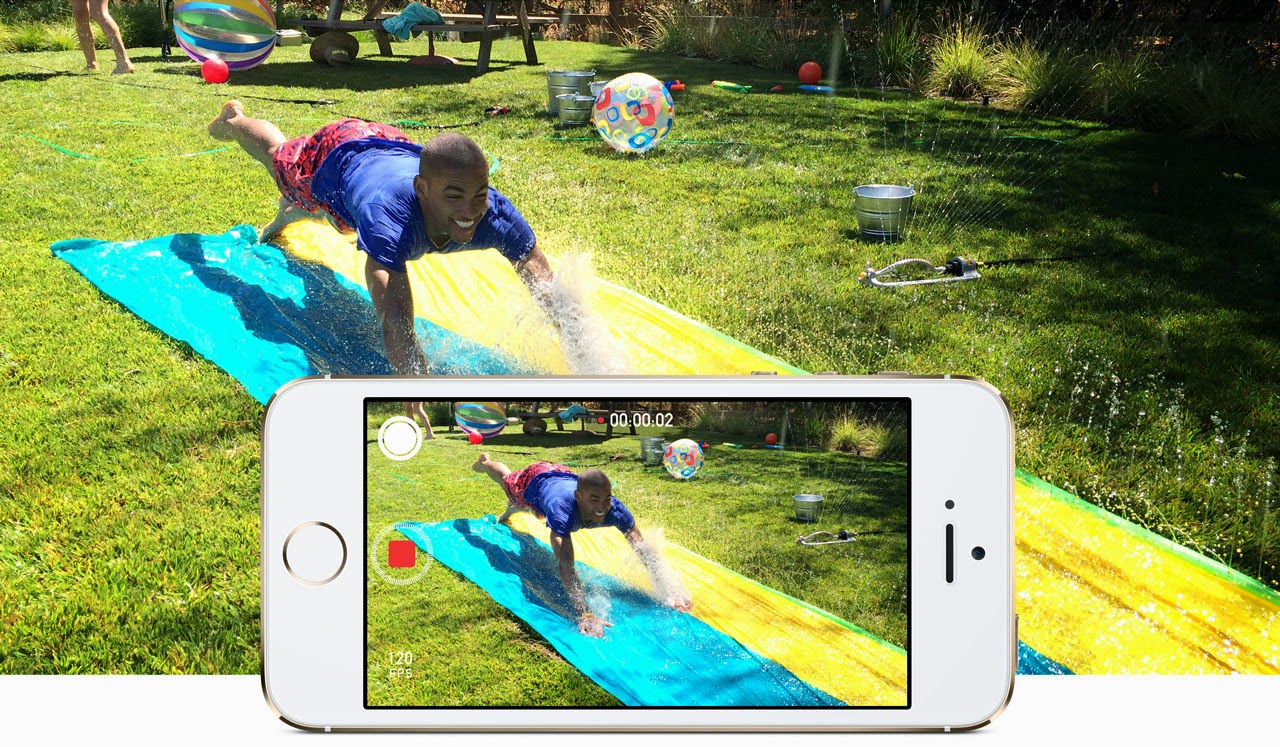
When recording a slo-mo video the iPhone 5s 
captures the scene at an extremely high speed 
(120fps) and then slows it down in the middle.
It’s perfect for recording action shots: like kids 
playing on swings, cats playing with toys or when 

you’re watching a sport event. By capturing the
video in slow motion you can really focus in on
the action. And it’s a neat party trick for iPhone 5s
owners. In this feature we’re going to take a look
at recording slo-mo video, and transferring the
video clip to a Mac.

Step 1: Record slo-mo video


Recording a slo-mo video is pretty easy. Open the
Camera app and slide your finger down the screen
so the Photo setting turns to video, now slide down

again to change the setting Slo-Mo (it will be marked
in yellow). The Camera app will now record the
video at 120fps, but play it at a slower rate. Tap on
the red Record button and capture some action; tap
the Record button again to finish capturing video.

Step 2: Play back

Now tap on the Camera Roll icon (bottom-right)
to view the video you’ve just recorded. When you
play back the video clip it’ll start normally, then
slow down in the middle, before speeding up
again to the end.

Step 3: Adjust the slo-mo e ffect


You can manually adjust the slo-mo settings to time
the slow motion e ffect to time it with the action you
recorded. Tap the screen on the video in Camera
Roll to bring up the onscreen controls. Underneath
The Video Preview bar is a Slo-Mo control bar made
up of small vertical lines. The area in the middle
(where the lines are spaced apart) is the slo-mo
part. You can drag the two black lines left and right
to determine the part where the video will enter
slo-mo mode, and return to normal playback.

Step 4: AirDrop the video

Bring up the onscreen controls and tap on Share in
the bottom-left of the screen. Ensure the video has
a blue tick in it and tap on Next and pick a sharing
method. It’s usually best to use AirDrop to share
video clips between di fferent iOS devices.

Step 5: Sharing the video

If you want to pass the video on to somebody, you
can send video as a Message, Mail or iCloud (as well
as upload to YouTube or Vimeo). Your options may
be limited with longer videos if the file size is too big
for email. But if the video is small enough to send
via email you can always send it to your own email
address and download it from Mail on the Mac.

Step 6: Transfer the video to iPhoto

If you want to import the video to the Mac, then it’s
best to use either iPhoto or Image Capture. Open
the iPhoto app and select the iPhone 5s in the
sidebar now find the video clip in the main window
and tap on Import Selected. You get the option of
leaving the video on the iPhone or removing it. It’s
up to you but eventually you’ll end up with a full
iPhone if you leave video on it.

Step 7: Import a clip using Image Capture

If you work with photos and videos a lot you should
take a look at the Image Capture app (located
in Applications). This enables you to browse the
images and video on an iPhone (or other device) and
copy them directly to the Finder. You can simply drag
the video from the main window to the desktop. Or
you can choose a location using the Import to dropdown menu and click on Import or Import All.

Step 8: Play the video

The video will be a file on the desktop (or other
location) normally named something like IMG_01234.
MOV. You can double-click the video to play it in
QuickTime. Notice that unlike normal videos there
is an extra blue button marked slo-mo. You can click
this to turn the slow motion e ffect on and off .

Send a text from an iPad

send a message from ipad


David Price reveals how to text from Apple’s tablet

Sending text messages from an iPad isn’t as 
straightforward as you might think. You’ll 
have noticed the pre-installed Messages app, 
but that’s for iMessages rather than conventional 
SMS messages, so that limits who you can send 
messages to. Here we explain how iMessage 
works, and the other options that let you send text 
messages from an iPad.

iMessage

The Messages app on an iPad is limited, because 
it can only send iMessages. These are better than 

SMS messages (because they’re free) but worse 
(because you can only send them to other iPad,
iPhone and iPod touch users). Start up the Messages
app and tap on the compose button – it’s the square
with a pencil piercing it. Start typing the name of the
contact, and iOS will o er to complete it for you. But
can you send a message to that person? If the name
is red, the answer is no. Try sending your message
and you’ll get a ‘Not Delivered’ error message. But if
the name is blue, you can send an iMessage, and it
won’t cost you a penny.

Apps

There are other options, however. Search the App
Store for texting apps, and you’ll find plenty of free
o fferings. One we’ve been trying is called TextMe,
and o ffers a small number of SMS messages for free,
generating a phone number that your message will
appear to come from (so remember to sign o with
your name, or the recipient will think they are being
stalked). Once the 10 initial credits are used up,
you can get more by watching video adverts or by
inviting friends – or by paying, of course.

Alternatives

Of course, if you’ve got web access via Wi-Fi or
cellular, it’s worth questioning why you need to
send a text from your iPad. The most obvious free
alternative is email, although most people are less
likely to notice emails than texts. Try sending a tweet
instead, which while limited on characters does
allow you to attach images. The average Twitter user
will have notifications set up so they’re immediately

alerted to direct messages or mentions.

iPhone 5s vs iPhone 5c


Karen Haslam puts Apple’s phones through their paces

Wondering whether to upgrade your 
iPhone and which new iPhone to choose? 
Here are our answers to some of your 
questions about Apple’s two new smartphones: the 
iPhone 5s and iPhone 5c. 

Price

In the run up to Apple’s launch of the iPhone 5c and 
iPhone 5s the rumours suggested that the iPhone 5c 
would be a cheaper iPhone, but the price di fference 
is really minimal. In fact, when you look at the o  
contract prices of the iPhones, the new iPhone 5c 
isn’t much cheaper than the 
iPhone 5 was last year when 
it launched. A 16GB iPhone 
5c costs £469 while the 
16GB iPhone 5 was £529.
There’s not really much 
di fference between the 
price of the iPhone 5c 
compared to the iPhone 5s 
either. The 16GB iPhone 5c 
is £469. Pay just £80 more 
and you can get a 16GB 
iPhone 5s for £549.
If you want the 32GB 
iPhone 5c, the price is the 

same as for the 16GB iPhone 
5s, which is £549. The 32GB iPhone 5s is £629 and
the 64GB iPhone 5s is £709.
Wondering why Apple’s iPhone 5c isn’t cheap?
Read our article: Why Apple didn’t launch a
 lowcost iPhone 5C. However, Apple may have made a
mistake in pricing the iPhone 5c so high, the sales of
that iPhone were much lower than it had anticipated,
with the iPhone 5s proving to be the more popular
option. It may well be the case that Apple could drop
the price of the iPhone 5c in the future.
If you want to pay your cash up front, you will be
able to grab yourself an iPhone 5c or an iPhone
5s without a contract (aka unlocked) from Apple’s
online store, from its physical stores and, of course,
from mobile phone stores like Carphone Warehouse.
Some people who have an existing contract that
they don’t want to lose, or those who prefer
the payas-you go model may choose to do this.
Buying an iPhone 5c with a mobile contract is
a more complicated business thanks to the huge
variation tari s and networks on o er. However, it
is likely that the networks will start a war amongst

themselves to undercut each other on pricing.

Colour options

The most striking di fference between the iPhone 5s
and iPhone 5c is colour. These new iPhones mark
the first time the iPhone has comes in anything other
than black and white.
The iPhone 5c is available in pink, yellow, blue,
green, or white. The colours are bright and vibrant.
According to a Macworld poll, the most popular
colour for the iPhone 5c is blue (43% of the vote).
The iPhone 5s looks a little more like the iPhone
5, but there is a new colour option: gold, along with
silver and gray (or Space Gray as Apple is calling
it). The silver is comparable to 2012’s White & Silver
option, and the Space Gray reminds us of the Black
& Slate iPhone 5 option in 2012. The gold isn’t
as ‘blingy’ as we expected and has proven to be
popular, although the Space Grey option is said to
be the most popular.

Size

Both the iPhone 5s and the iPhone 5c have a 4in
Retina display. However the dimensions and weight
of the two phones are slightly di fferent.
The iPhone 5c measures 124.4x59.2x8.97mm.
It weighs 132g. The iPhone 5s measures
123.8x58.6x7.6mm, and weighs 112g. This means
the iPhone 5c is slightly longer and thicker than the
iPhone 5s, and a little heavier.
The iPhone 5 measurements were identical to the
5s, so you may find that your existing iPhone 5 cases
are compatible with the iPhone 5c.

4G

The iPhone 5c and iPhone 5s will support more LTE
4G bands than any other smartphone in the world,
according to Apple. That’s support for up to 13 LTE
wireless bands. Initially there was some concern
when the information page on Apple’s website
suggested that only EE and Vodafone would be able
to provide 4G, however nearly all the networks are
o ffering the iPhone 5c and iPhone 5s on their 4G
network (except for T-Mobile and 3 at present).
The iPhone 5s and iPhone 5c will run on the
following bands, in the following MHz according
to Apple’s notes: 1 (2100MHz); 2 (1900MHz);
3 (1800MHz); 5 (850MHz); 7 (2600MHz); 8
(900MHz); 20 (800 DD).

Camera


The iPhone 5s camera uses a new, five-element lens
that Apple designed specifi cally for the new iPhone.
This new lens o ffers an f/2.2 aperture, the sensor
has a 15 percent larger active area, and the pixels
on this sensor are 1.5 microns in size, larger than
the iPhone 5 and larger than other smartphones.
The iPhone 5s also includes a new dual-LED True
Tone fl ash that Apple says is the fi rst of its kind on a
phone or a standalone camera. One fl ash is cooler
white, while the other is amber with a warmer colour
temperature. The phone monitors ambient light and
then fires the two fl ashes together to match that
light. Together, Apple says, the two fl ashes provide
more than 1000 unique light combinations, for fl ash
lighting that’s brighter and more natural. The 5s also
includes improved image stabilization features, a
new burst mode and slow-motion video recording.
Like the iPhone 5s, and like the iPhone 5 before it,
the iPhone 5c o ers an 8Mp camera. However, this
8Mp camera is inferior to the camera in the iPhone
5s which o ers an f/2.2 aperture.

Battery life

Apple claims that both the iPhone 5s and iPhone
5c o er battery life equal to or greater than that
of the iPhone 5. Specifically, the company says
the new iPhones o er 10 hours of 3G talk time, 10
hours of LTE or Wi-Fi browsing, or 250 hours of
standby time. Compare that to Apple’s claims for
the iPhone 5 when that model was released: eight
hours of 3G talk time, 10 hours of Wi-Fi browsing, or
225 hours of standby time.

Storage options

There are two versions of the iPhone 5c available:
16GB and 32GB. The 5s is available in 16GB, 32GB
and 64GB versions. For many the extra storage
o ffered by the iPhone 5s will be the deal breaker.
However, with iCloud, and the potential o ered by
external storage devices, you may not need as much
storage as you think.

The latest iOS 8 news

ios8


Ashleigh Allsopp looks at what we can expect to see

The release of iOS 7 caused a buzz among the 
Apple community in 2013, as it came with a 
radical redesign, bringing a new look and feel 
to the iPhone, iPad and iPod touch software. Now 
that the excitement has died down a little, users are 
looking to the future, imagining what could be in 
store for the next version of iOS, presumably called 
iOS 8 if Apple’s naming convention continues.
We’re certainly excited about 2014 as a whole 
for Apple, not least because CEO Tim Cook has 
revealed on multiple occasions that the company 
has “big plans” that it believes we are going to love.
Speculation about iOS 8 - which is believed to be 
codenamed “Okemo” after a ski resort in Vermont - 
skyrocketed as February 2014 arrived, with reports 
that Apple is working on a ‘Healthbook’ app for the 

new operating system, which could change mobile
health and fitness tracking for good.

Touch ID

During Apple’s earnings call for the first quarter of
2014, CEO Tim Cook spoke about Apple’s Touch
ios8 touch idID fingerprint sensor, which was introduced in
September 2013 with the iPhone 5s.
“The mobile payments area in general is one
that we’ve been intrigued with - that was one of
the thoughts behind Touch ID,” he said. “But we’re
not limiting ourselves to that. I don’t have
anything specific to announce today, but you can tell by
looking at the demographics of our customers
and the amount of commerce that goes through
iOS devices versus the competition that it’s a
big opportunity on the platform.”
Cook’s comments suggest we should look out for
new services that work with the Touch ID
in future versions of iOS.

Notifications

One of the areas of iOS 7 that we
expect to get addressed in iOS 8 is
Notifications. We think that it feels a bit
clumsy at the moment. For example,
replying to an iMessage requires
the launching of the app, rather than
a simple dialog box as in OS X’s
Notification Centre.
We’d like to see a universal control to
clear all of the past notifications at once.
In iOS 7, the user has to manually

delete each app’s entries.
We love Sam Beckett’s interactive Notifications
concept, as shown below. It’s a perfect example of
what we’d like to see in iOS 8 when it comes to the
Notification Centre.
We’d also like to be able to quickly unsubscribe
from app Notifications that we’ve accidently signed
up to within the Notification Centre.
Apple made an interesting acquisition in 2013, for
a small software house called Cue. Cue specialises
in smart assistant programming. With Google Now
becoming an increasingly impressive service on
Android, it’s possible that Cue could be how Apple
will catch up. It could help Apple add smarter push
notifications, providing us with the information we
need when we need it.

Siri

ios8 siriWe’re sure that Apple will bring some new features
to Siri, the voice-activated virtual assistant, with
iOS 8. It looks like we’ll be getting more voices
within Siri in the UK. We
currently only have access to
a male voice, but the iOS 7.1
beta suggests we’ll be getting
a female voice for Siri, possibly
even before iOS 8 comes out.

Control Centre

We loved the addition of Control
Centre with iOS 7, and we think
Apple could take it even further
in iOS 8. Perhaps it will give
users more control over the
Control Centre, by letting them
decide which apps they want
easy access to.

Multiple accounts

A sought after iOS feature from Apple is the ability
to add additional accounts to iPads and iPhones.
For iPads that are shared among a family, this would
allow each member to have their own private iOS
account, particularly useful for parents with young
children for better parental control.

Multitasking

Apple made some changes to Multitasking in iOS 7,
but we’d like to see these changes go even further.
Split screen is something we’d love to see in iOS 8,
as it would increase productivity significantly and is
a feature we’re constantly craving while using our
iPad. We’d also like to be able to close all of the
open apps at once.

FaceTime

FaceTime hasn’t seen much love from Apple in
recent updates, apart from the addition of FaceTime
Audio. We’d like to see Apple introduce the ability to
call multiple people at once in FaceTime, for group
calls. Skype already o ffers the ability to conduct
group calls, so the addition of the feature for
FaceTime would be a big plus for Apple users.

Default apps

We’ve been saying this for years, but we’d like to
delete the annoying Apple default apps that we’re
not interested in or never use. It’s unlikely that Apple
will grant this wish, though.

Subscription service

An interesting idea shared with us by a colleague is
the introduction of an iOS iTunes Store and/or App
Store subscription service. The service could allow
users to pay a set fee per month to get access to
unlimited films, TV, books, apps and more (think
Netflix or LoveFilm). We think this would be a brilliant
idea that we could imagine many Apple users
signing up to if it’s priced right. It would be a huge
blow for competitors, though.

Default third-party browser

Many of our colleagues use Apple Macs, but
almost none of them use Safari as their default web
browser; most favour Chrome or Firefox instead.
So why does Safari maintain such a stranglehold
on iOS? Because you still can’t make a third-party
browser the default. We’d love to see Apple add
the ability to change the default browser to a third
party one in iOS 8.

Customised autocorrect

Since before iOS 7, we’ve
been asking for the ability
to turn o autocorrect
on an app-by-app
basis, to prevent those
embarrassing errors we
so often see.

Battery life

Battery life issues plague
iOS users. We asked our
readers what they’d like
to see in iOS 8, expecting
whizzy features but it was
battery life that took the top spot. One of the ways Apple could
help preserve battery life is to
add a battery emergency feature to devices. How
about a set of customisable actions set to kick in
when your iOS device reaches 20 per cent power?
Instead of just popping up with the warning, the
device could be programmed to automatically
lower the brightness, switch o 3G, Bluetooth and
location services, and generally do everything in
its power to stay alive.

iTunes Radio in the UK

Since its release back in September 2013, UK Apple
users have been waiting for iTunes Radio, a new
service from Apple that allows you to stream any
song available on iTunes. It’s possible that we’ll see
iTunes Radio launch in the UK before iOS 8, though,
with some rumours pointing to an early 2014 launch.

Release date

Apple has traditionally used its Worldwide
Developers Conference to unveil new versions
of iOS, so we expect that tradition to continue
this year. WWDC is usually held in June, but we’ll
update you as soon as we find out specific dates
for the conference. While we expect iOS 8 to be
shown o for the first time in June, it’s unlikely to
be released to the public until the next generation
iPhone comes out, probably in September. Between
June and September, iOS 8 is likely to be in beta
form for developers to test and begin working on
their apps ahead of the public release.

Will Apple kill the iPod?

ipod


Simon Jary hopes the end isn’t nigh for the iPod

It’s not a claim as great as Douglas Adams being 
the first owner of an Apple Macintosh in the UK 
(Stephen Fry was the second), but I might have 
been the first non-Apple employee to own an iPod 
in the UK. 
It just so happened that I was sitting next to the 
Apple PR when he handed out boxes of the brand new 
MP3 player on UK launch day back in 2001.
I remember that I was first to unbox it – we didn’t 
video such things in those days – and switch it on 
because everyone else in the room was still eating 
their breakfast. I’d already eaten. On such tiny 
details is history made.
Since then I’ve owned a bunch of the iconic 

portable music players – updating either to review 
them for Macworld or bought them as my iTunes
library outgrew the old one.
I owned the original 5GB iPod (2001), the 20GB
second-generation iPod (2002), the weird iPod with
the silly buttons (2003), the 60GB iPod Photo (2004),
the fi rst iPod shu e (2005), the fifth-generation
80GB iPod (2005), the clip-on iPod shu ffle (2006),
and the 160GB iPod classic (2007).
That last one is still going, making it my mostused
Apple product of all time – with the possible
exception of one of those Apple logo stickers that I
stuck on a door in 1994.
I didn’t like the look of the super-popular iPod
mini (both girly and awkward), and despite its waiflike
 looks I never bought an iPod nano (looked
like it might snap). I didn’t bother with the iPod
touch for a few reasons. Indeed I have something
of an irrational disliking of the touch. Here’s a few

reasons why I’ve avoided it.

Why the iPod touch is no classic

1.It’s too expensive. The current 64GB touch costs
£329. The 160GB classic is £199.
2.Its maximum capacity for ages
was 32GB and still only o ffers the
same storage as the iPod I owned
a decade ago. The 160GB iPod
classic can hold, according to
Apple, 40,000 tracks. Check your
iTunes. That’s a lot. And you can
stu the classic full of movies and
TV shows, plus your photos, too.
3.I already own an iPhone
4.It’s not really an iPod. It’s an iPhone that can’t make
phone calls. A cheap knock, I know, but a true one.
5.You get to the music much faster on a classic than
on a touch. The iPod is ready as soon as you switch
it on. On a touch music is just another app.
6.You don’t have to turn the iPod classic sideways
to browse Cover Flow.
7.The classic doesn’t annoy you with notifications.
8.The iPod is smaller than an iPhone or touch
and can just about hold all my music.
9.The battery life is great – despite powering an
actual moving hard drive it lasts longer than the
fl ashy SSD in an iPhone. There’s no point in creating
a battery case for an iPod. Apple’s tech specs
suggest the iPod touch has better battery life but
that’s only if you promise to not touch another app,
and switch o Wi-Fi, and so on.
10.It fits all my speakers at home. If I moved my
music to an iPhone I’d have to buy two Lightning
adapters, which together would cost me more than
the price of a new iPod shu ffle.
11.Okay, it’s in a case that’s fraying at the edges
but the iPod classic is so old it’s kind of retro. Yes, it
could stop working at any time – at seven years old
it’s surely on borrowed time.
12.It’s outlived about six pairs of headphones. Not
Apple earbuds – proper headphones.
Out of all the iPods I’ve owned the current classic
is one of the best designs – the original is hard to
beat, though, for true iconic and tech-ironic status
points. But for years pundits have been predicting
the demise of the iPod proper – mainly because of
the stupid iPod touch.

Why Apple might kill the iPod

1.To show it’s still innovative and young at heart
Apple must sacrifi ce its old in a Logans Run
demonstration of tech virility.
2.The iPod accounted for less than two percent of
Apple’s total revenue for the past quarter, down from
four percent the year before. That, friends, is known
in business as a trend.
3. For the first time in more than a decade, the
iPod’s revenue was less than billion. Apple counts
in billions, not millions.
4.Apple CEO Tim Cook calls the iPod “a declining
business”. That is not a ringing endorsement from
the man who makes the decisions.
5.Apple’s CFO Peter Oppenheimer thinks that
decline will continue: “We would expect [iPod sales]
to continue to decline year-over-year in the March
quarter”. That trend thing again – not from an
analyst, from the numbers guy at Apple.
6.Apple hasn’t updated the iPod classic since
2009, and Jony I've probably raised only his
eyebrow during that rejig.
7.The iPod classic still uses Apple’s old 30-pin connector.
 Anything without Lightning or
a Thunderbolt connection has one foot in the
Cupertino municipal graveyard.
8.Everyone is streaming their music via services
such as Spotify. Let Spotify store all the music and
just download what you need when you need it.
9.Apple likes to keep a lean product matrix.
10.Even Samsung hasn’t bothered to copy it.

Why Apple won’t kill the iPod

What gives me hope about
the at least medium-term
survival chances of the
iPod in Apple’s line up
of stellar products?
1.The iPod is still the second product family in the
Apple website’s top tabs, right next to the Mac and
before the iPhone or iPad. That’s signifi cant surely,
unless Apple has a satanic reverse alphabetical
product line-up strategy. Remember, though, that
this is the company that sold its first product for
2.The iPod range still generates massive revenues
– £587m in the last quarter. That’s close to billion a
year. That should pay for a few windows in the new
corporate spaceship.
3.Apple sold six million iPods from October
December 2013, with an average price of – which
suggests the pricier models are more popular than
the cheapo shu ffle. Apple hasn’t broken down the
numbers to separate the classic and the touch, mind.
4.The iPod saved Apple. Forget the kooky Bondi
Blue iMac. The iMac enabled Apple to limp on until it
discovered its next game changer and that was the
iPod – from which came the iPhone, which took the
rescued company and propelled it into the big time.
5.Apple has plenty of cash. It’s not looking at cutting
costs right now, as far as we can tell.
6.Streaming services such as Spotify rely on large
Internet data downloads – no good when you’re
on holiday without limitless Wi-Fi. Music stored
locally on your iPod wins every time.
7.Lossless. If you want the highest-quality
music you need an enormous storage capacity.
Only the iPod classic will do.
8.Apple didn’t do much with the Mac Pro – The
Mac That Time Forgot – for even longer. For an
entire decade Apple left the Pro in e ectively
the same case, tinkering with the processor and
storage, and every now and then switching the
FireWire around. Then out of the blue we get a new
Mac Pro that no one else but a Cube-era Apple
could have dreamed up. Apple’s been even lazier
with the iPod classic but who knows what it has up
its sleeve? See: Latest Apple rumours
9.Tim Cook hasn’t yet mercilessly killed o a
product line. Steve Jobs used to relish such murder.
Has Tim got it in him to strike down the iPod? Has
anyone called Tim ever been nasty?
10.Pop stars won’t bother turning up at Apple
product launches any more. What will they be left to
entertain the media with – jugglers and dwarves?
If Apple is mad enough to ditch the iPod, I only
hope that it gives us all a chance to update our
music players to the latest model, and not just
suddenly stop selling it.

I expect new, boxed iPod classics to jump in value
when Apple pulls the plug on the non-Flash players
– with diehards like me resisting the pricier iPod
touch and its feeble capacity. Even if Apple releases
a 160GB iPod touch, imagine the cost!
The iPod classic is well named. It carries
more music at a higher quality. It doesn’t do much
else – ever played one of the iPod games? – so
you can listen to music properly and not do so
while playing Ninja Fruit or tapping in Facebook
updates. It’s cheaper than the iPhone that can’t
phone – and 19.9mm shorter.
I’m not a Newton nut who thinks the MessagePad
is better than the iPad, or even an idiot who’s
sticking with iOS 6 because of the new font.
I will gladly switch to something that’s a
di fferent shape, does other things, and is called
something else even if it’s not made by Apple –
as long as it has a larger capacity than 160GB,
works just as well, looks as good, and costs under
£200. And is made by Apple.
But I’d rather that was a new iPod.

Finally Hands On With The iPhone 6


The iPhone 6 and 6 Plus represent Apple’s new flagship products, and they’re a big change from what came before: The 4.7-inch 6 has a new, Retina HD resolution display, and smooth, rounded edges and a smooth transition between the actual glass protecting the screen and the rest of the casing. It also has an improved camera, and what might be its most exciting super-power: Apple Pay, which uses NFC tech to let the device authorize payments quickly using Touch ID as an authentication step. The 6 Plus has all that, plus optical image stabilization and an even bigger battery.

iPhone 6

In the hand, the iPhone 6 definitely feels noticeably larger, but what’s remarkable is that it doesn’t feel significantly bulky. The rounded sides and thin, lightweight chassis kind of harken back to older devices, in fact, like the iPhone 3GS and earlier, but the more premium materials used here add another dimension of quality.


Reaching across the device to tap the top corner isn’t uncomfortable, despite the extra screen real estate, and the screen resolution is truly impressive. The additional pixel density makes an instantly observable difference, even if it should technically exceed the ability of the human eye to discern, if you buy the rhetoric around the original Retina display tech. Whether it’s improved resolution, or better color rendering and display lighting, the effect is one of an image that looks artificial – as if they’d pasted a demo screen photo on top of the showcase devices.


Playing with the new camera reveals the improvements there are also impressive. The iPhone 6 gets all the new features besides optical image stabilization, including slow motion video at 240 FPS, which is two times faster than the iPhone 5s (and so two times slower when played back). The camera’s autofocus is fast and effective thanks to the addition of phase detection, and it no longer highlights the point of focus, which it doesn’t really need to because of its improvements.
iPhone 6 Plus
The 6 Plus is a device that isn’t for the faint of hand: its 5.5-inch diagonal face is definitely something users will have to get used to. The process is made easier thanks to the introduction of a new mode that lets people use all aspects of the OS, including apps and the Home screen, one-handed simply via a double touch (not press) of the Home button, which shifts everything down into thumb range.
The 6 Plus also offers a useful new landscape view in most apps in exchange for the bigger size – you get an inbox while looking at Messages or Mail, for instance, and detailed views in most system software. It’s a big advantage for working through stuff quickly, and is comparable to what the iPad offers in many ways. 

Apple’s optical image stabilization also does appear to make for big improvements in the quality of captured images, though we’ll have to do more extensive testing to really suss out how much of a difference there is between this and the image stabilization offered on the iPhone 6.
source : Techcrunch


Top